Modulation
Modulation
Modulation is automatic parameter variation based on incoming MIDI notes. It is ideal for adding motion without drawing complex CC envelopes.
Modulation Types
Modulated parameters can be driven by:
- Pitch
- Velocity
- Random
Basic Workflow
- Select a modulated parameter. (Mod LEDs are blank when modulation is available.)
- Press MOD to cycle modulation modes.
- Use the knob to set offset. Hold FUNC to set range.
The value LEDs show the output range for the parameter.
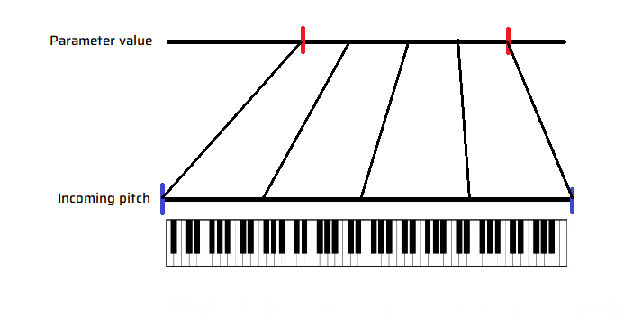
Input Ranges
Pitch range (pRG) and Velocity range (vRG) limit the input pitch or velocity range so only specific notes affect modulation.
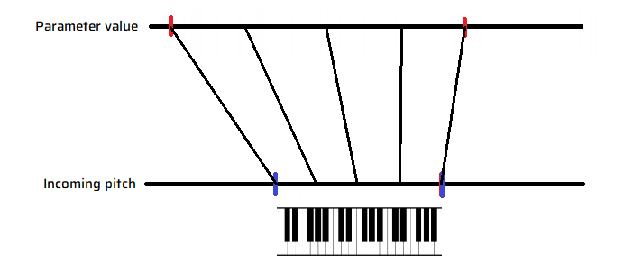
Notes outside the selected range can be handled in three ways:
- Levelled (default): clamp to the nearest edge of the range
- Looped: wrap around continuously (FUNC + MOD)
- Cutoff: ignore notes outside the range (FUNC + MOD while editing ranges)